Klasboard Waitlist open

Prepare SF9 and SF10 from your class records.

Record attendance and scores on your phone. Klasboard uses your records to prepare report cards and permanent records for you to check and print.

Join free. We will email you when we open. No spam.

We keep your email and answers to tell you when we open and to decide what to build. Details

We save your email, country, sign-up time, where you came from, any answers you choose to give, and a scrambled (hashed) version of your IP address to stop abuse.

We use them only to email you when we open and to decide what to build first. We never sell them.

To have them deleted, write to admin@klasboard.ph.

How it works

Paano ito gumagana

A preview of attendance, scores and SF9 report cards in Klasboard.

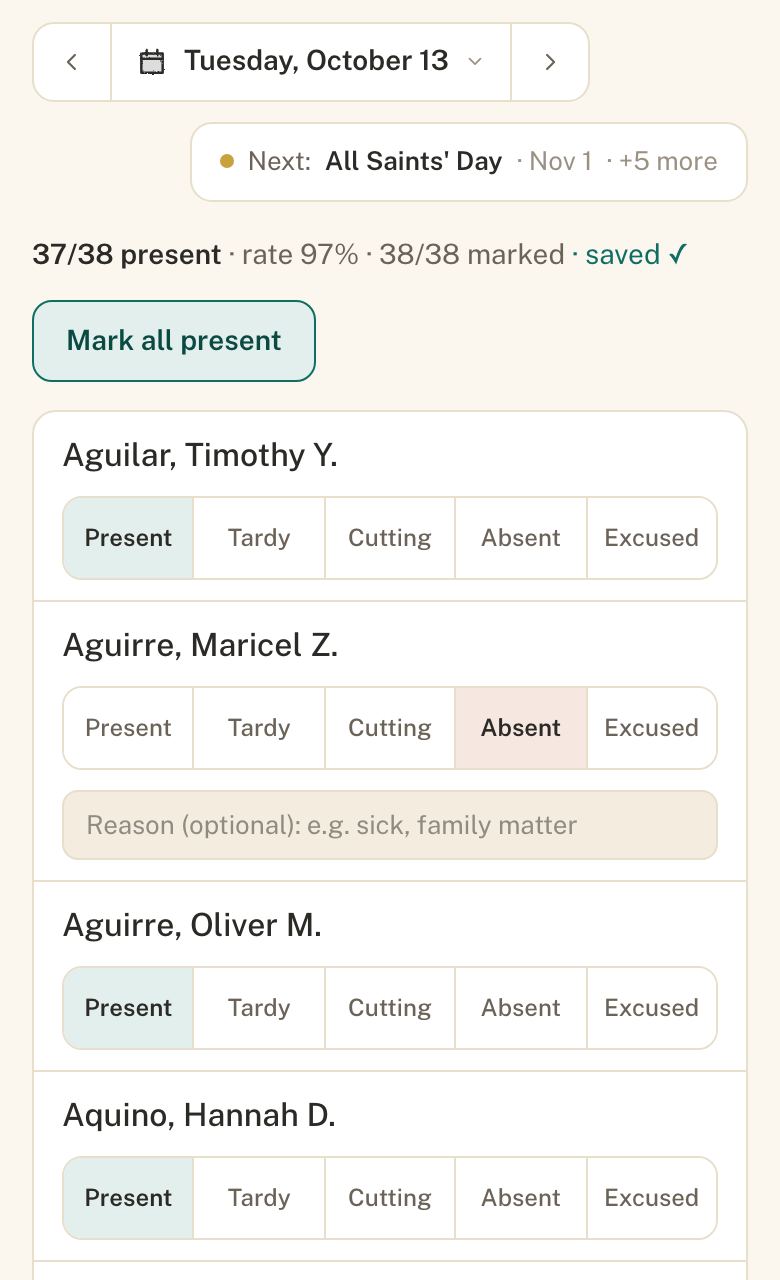
1. Record attendance. Tap Mark all present, then mark anyone absent or late. Once your class is loaded, attendance and score entries save on your device without signal and sync when you reconnect.
Demo learners
Klasboard attendance screen on a phone: Mark all present, with one demo learner marked Absent
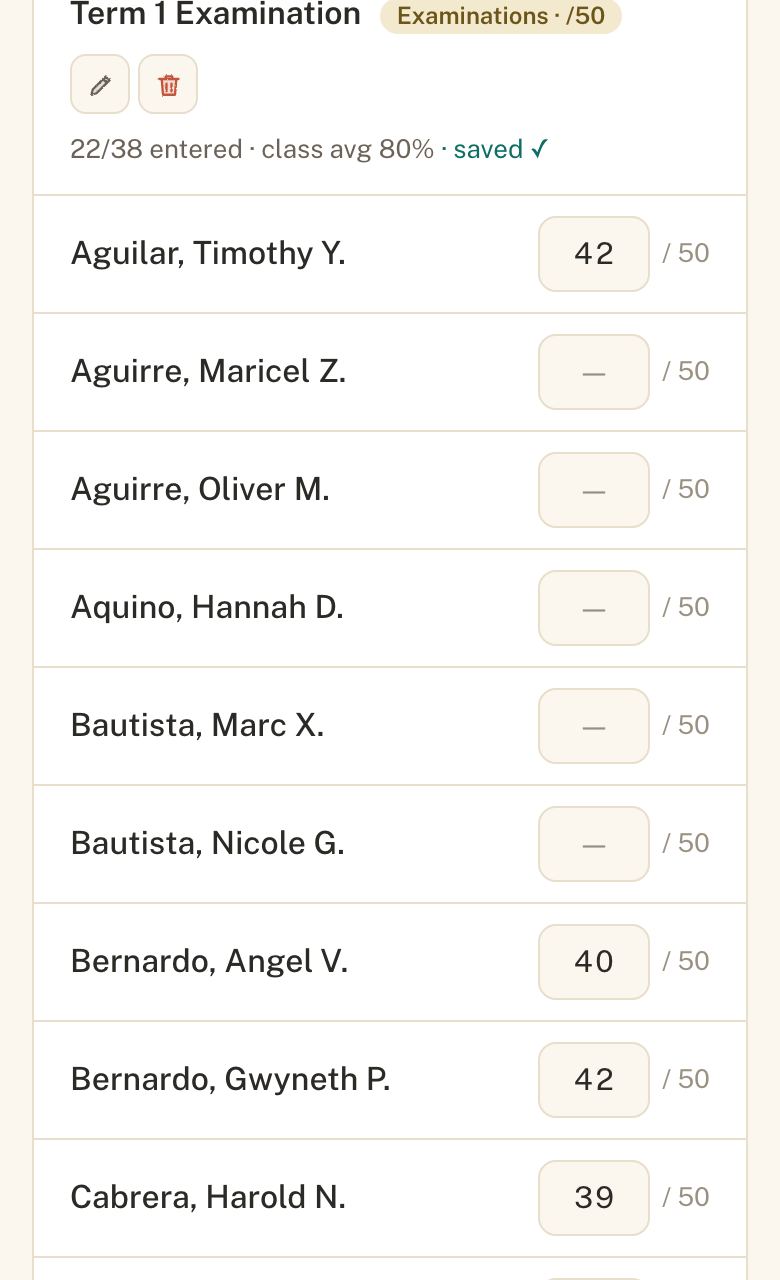
2. Enter scores. Klasboard calculates grades from the scores you enter.
Demo learners
Klasboard score entry screen: a score of 42 out of 50 entered for one demo learner, saved
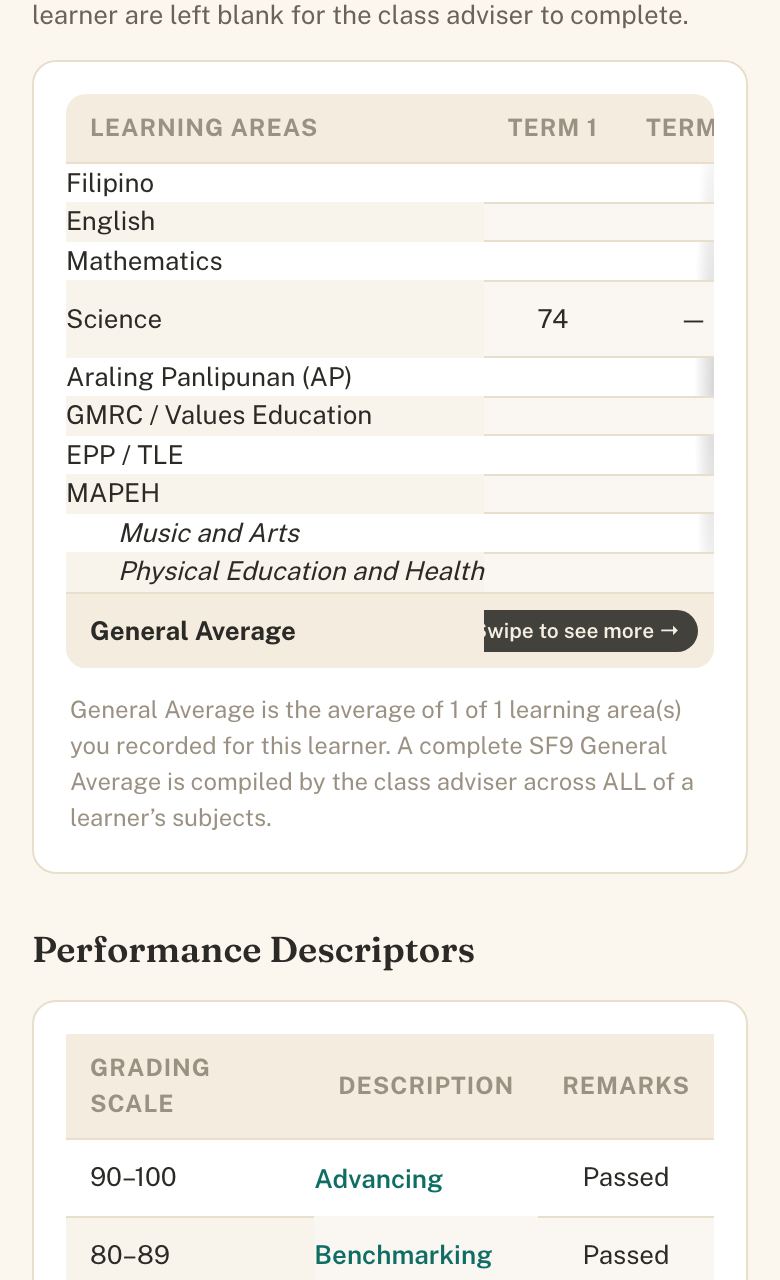
3. Check and print the SF9. Review the report card prepared from your recorded grades and attendance. Print one, or the whole class at once.
Demo learners
Klasboard SF9 report card for a demo learner, showing the learning areas and the recorded Term 1 grade

33-second preview using demo learners.

About Klasboard

Made by Theo Marsh for Filipino public-school teachers. Klasboard is independent of DepEd. Joining the waitlist is free. Subscription pricing is not yet set. This waitlist does not collect learner records.

Join the Klasboard waitlist.

We’re gathering interest before opening access.

Join the waitlist

Questions or ideas? Tell us.

A short note is enough. Add your email only if you want a reply.